The proposal looked sharp.
Clean formatting. Professional language. Good structure. The kind of document that makes your company look buttoned up and ready.
Then the owner called.
One of the market stats in the recommendation was wrong.
Not a little wrong.
Made-up wrong.
The AI tool had produced a clean, confident answer that sounded right, looked right, and had no business being sent to a client.
There is a name for that.
It is called a hallucination.
That is what happens when AI fills in gaps with information that may sound believable but is not actually true.
And here is the problem:
AI does not always look uncertain when it is wrong.
It sounds confident.
It writes clean.
It formats well.
It can make bad information look polished enough to get signed, sent, or approved before anyone catches it.
Now, here’s the kicker:
AI is not the problem.
Unsupervised AI is.
The Intern Nobody Onboarded
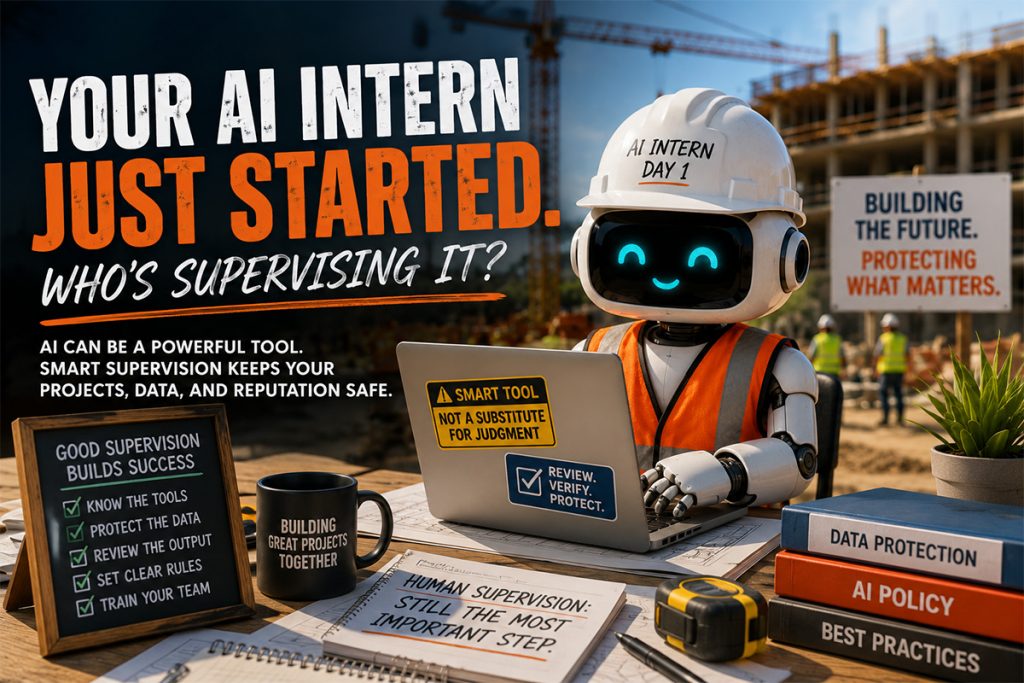
Imagine hiring a brand-new intern and, on day one, handing them access to everything.
Project files.
Client emails.
Bid documents.
Contracts.
Financial reports.
Employee records.
Vendor information.
Owner communications.
Then saying:
“Just figure it out. Let me know if you need anything.”
No orientation.
No rules.
No review process.
No explanation of what should never leave the company.
That would be a mess waiting to happen.
But that is exactly how many companies are using AI right now.
Not because they are reckless.
Because AI tools are useful.
They are fast. They are easy. They are already showing up inside the tools your team uses every day.
Email platforms have AI buttons.
Document tools have AI buttons.
Meeting apps have AI summaries.
Project management systems are adding AI features.
People can use AI to draft emails, summarize notes, organize information, rewrite reports, clean up proposals, and get a first draft done faster.
That can be a good thing.
A very good thing.
But only if someone is supervising it.
AI Can Help Construction Teams Move Faster
Used the right way, AI can save real time.
It can help a project manager clean up meeting notes.
It can help an estimator organize information.
It can help an operations leader draft a company memo.
It can summarize a long email thread.
It can turn rough notes into a cleaner first draft.
It can help create checklists, training outlines, internal procedures, and basic communication templates.
That kind of support can be useful in construction, where everyone is busy and nobody has extra hours lying around.
But AI is not a project executive.
It is not your legal team.
It is not your controller.
It is not your cybersecurity team.
It is not your operations manager.
It is not your final reviewer.
It is a tool.
And tools need rules.
What an Unsupervised AI Tool Can Do Wrong
When AI shows up without a plan, three things tend to happen.
1. Sensitive information gets shared where it should not go.
An employee pastes a client contract into a free AI tool to summarize it.
Someone drops financial data into a chatbot to clean up a report.
A project manager uploads meeting notes that include owner names, change order details, pricing, or dispute information.
An admin uses AI to rewrite an HR document with employee details in it.
Nobody is trying to cause trouble.
They are trying to save time.
But depending on the tool, where that information goes and how it is used may not be clear.
That matters.
Construction companies handle a lot of sensitive information:
- Owner communications.
- Payroll data.
- Vendor records.
- Insurance documents.
- W-9s.
- Lien waivers.
- Project delays.
- Dispute details.
- Employee information.
Not all of that belongs in a public AI tool.
If your team does not know the boundaries, they may cross them without realizing it.
2. Unapproved tools start appearing.
One person uses one AI tool.
Another person finds a different one.
Someone else installs a browser extension.
A team member connects an AI note-taker to meetings.
Another signs up for a free account with a company email.
Pretty soon, you have AI tools touching company information that nobody approved, nobody reviewed, and nobody is monitoring.
That is shadow IT.
And shadow IT is risky because you cannot protect what you cannot see.
Your IT team needs to know what tools are being used, what they can access, what information is being entered, and whether those tools meet your company’s security standards.
Without that visibility, you are guessing.
And guessing is a bad way to protect project data.
3. AI output gets trusted too quickly.
This may be the most common problem.
AI can write with confidence even when it is wrong.
It may summarize something incorrectly.
It may invent a fact.
It may misunderstand a contract clause.
It may leave out important context.
It may create a policy that sounds official but does not match how your company works.
It may draft a client-facing response that sounds polished but says too much.
It may produce a recommendation that looks good until someone checks the source.
That is why AI drafts need human review.
Every time.
AI can help create the first version.
A human should approve the final one.
AI Does Not Fix Broken Processes
AI can speed things up.
But that is not always good news.
If your file structure is messy, AI may help people produce more messy output faster.
If your approval process is unclear, AI may help people send polished mistakes faster.
If your data access is too broad, AI may make it easier for sensitive information to travel where it should not.
If nobody reviews client-facing work, AI may make wrong information look more professional.
That is the thing about AI.
It does not automatically make a business smarter.
It makes the existing process faster.
If the process is solid, that can be powerful.
If the process is sloppy, it can make the mess bigger.
Construction Needs Practical AI Guardrails
The answer is not to ban AI.
That horse is already out of the barn.
Your people are either using AI now or they will be soon. And if they are using it without guidance, that is where the risk grows.
The better move is to set clear, practical guardrails.
Not a 30-page policy nobody reads.
Not a bunch of technical jargon.
Just plain rules your team can actually follow.
What Smart AI Supervision Looks Like
1. Decide which tools are approved.
Your team should know which AI tools are allowed and which ones are not.
Keep a simple approved-tool list.
Review the tools before company data goes into them.
Make sure your IT team understands how those tools handle privacy, storage, access, and security.
This is not about slowing people down.
It is about knowing what is connected to your business.
2. Tell people what not to feed it.
Some information should stay out of public or consumer AI tools.
That may include:
- Client names.
- Contract details.
- Bid pricing.
- Payroll information.
- Employee data.
- Financial reports.
- Legal disputes.
- Owner communications.
- Vendor banking information.
- Confidential project details.
- Sensitive safety incidents.
If your team does not know where the line is, they will have to guess.
Do not make them guess.
3. Require human review before anything goes out.
AI drafts.
Humans approve.
That should be the rule.
Nothing client-facing, public-facing, legal, financial, or operationally sensitive should go out without a person reviewing it first.
That includes proposals, owner emails, website content, policies, payment-related communications, and anything that affects project decisions.
AI can help.
It should not have the final say.
4. Protect access to company data.
AI tools should not get unlimited access just because they are convenient.
Review what tools connect to email, calendars, meetings, cloud drives, project files, and communication platforms.
Limit access where possible.
Remove tools that are not needed.
Make sure former employees cannot still use connected tools after they leave.
In construction, access matters.
The wrong tool connected to the wrong system can expose more than you intended.
5. Train your team in plain English.
Your employees do not need a lecture on machine learning.
They need practical examples.
What is okay to use AI for?
What should never be entered?
What needs review?
Who do they ask if they are unsure?
What tools are approved?
What happens if they already used an unapproved tool?
Keep it simple.
Keep it real.
Make it safe for people to ask questions.
A Quick Gut Check for Your Management Team
Before your next leadership meeting, ask these questions:
- Do we know which AI tools our employees are using?
- Have we approved those tools?
- Do we know what company data is being entered into AI platforms?
- Do employees know what information should never be pasted into AI?
- Are AI-generated drafts reviewed before they go to clients, owners, vendors, or the public?
- Are AI meeting tools, browser extensions, or plug-ins connected to company systems?
- Do we have a simple AI policy our team understands?
- Would our IT team know if a new AI tool started accessing company data?
If the answer is no, that does not mean you are behind.
It means it is time to put supervision in place.
The Companies That Win With AI Will Be the Ones That Manage It
AI is not going away.
And used well, it can help construction companies save time, reduce admin drag, and help busy teams communicate more clearly.
But the companies that benefit from AI will not be the ones that let everyone use anything, anywhere, with any data.
They will be the ones that decide how AI should be used.
They will set boundaries.
They will approve tools.
They will protect sensitive information.
They will review the output.
They will treat AI like a capable intern with a lot of potential and no context.
Because that is what it is.
Helpful?
Absolutely.
Ready to run unsupervised?
Not a chance.
Where We Come In
We help construction companies across Texas put practical technology guardrails in place, including around AI tools.
That means helping you understand what your team is using, what data may be exposed, which tools are safe to approve, and how to build a simple process your people can actually follow.
No scare tactics.
No overcomplicated policy nobody reads.
No pretending AI is only a problem for big companies.
Just practical guidance for construction teams that want to move faster without leaving the back door open.
If your team is already using AI, or you suspect they are, now is the time to get your arms around it.
Call us at 214-253-0643 or schedule a discovery call.
AI can be a good helper.
But somebody still needs to supervise the intern.