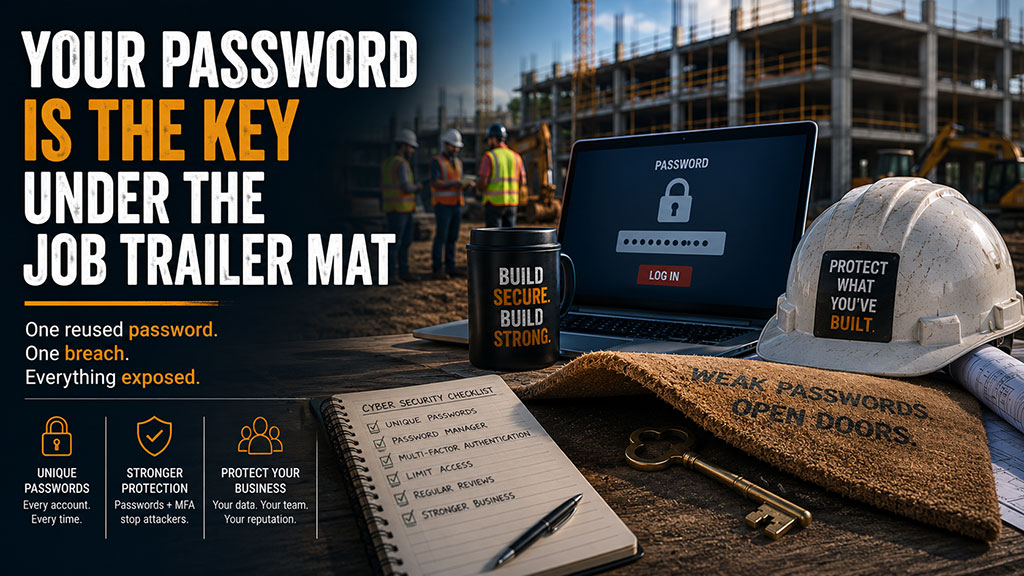
Picture this.
A superintendent walks up to the job trailer, lifts the mat, and finds a key sitting underneath.
Convenient? Sure.
Smart? Not even close.
Because if your people know where the key is, so does anybody else who has been paying attention.
That is how a lot of construction companies still treat passwords.
Easy to remember.
Used in too many places.
Shared when things get busy.
Written down because somebody had to get into the system fast.
And sitting right where criminals know to look.
Now, here’s the kicker:
Most cyber problems do not start with some hacker in a dark room breaking through your defenses like a movie villain.
A lot of them start with a reused password.
- One old password.
- One exposed account.
- One unlocked door.
And suddenly, your email, project files, accounting system, cloud storage, and vendor information may all be at risk.
The Reuse Problem
A typical breach may not start inside your company.
It might start somewhere else.
A shopping site.
A delivery app.
A forgotten software trial.
A personal account someone created years ago.
That site gets breached, and now an email address and password are floating around online.
Then criminals take that same login and try it everywhere.
- Microsoft 365.
- Cloud storage.
- Project management software.
- Accounting tools.
- Vendor portals.
- File-sharing platforms.
They do not have to guess much. They let automated tools do the work.
This kind of attack is called credential stuffing.
Fancy name.
Simple idea.
Criminals take stolen usernames and passwords from one place and try them in a bunch of other places.
If your people reuse passwords, one breach outside your company can become your problem fast.
That is the danger.
One reused password can turn into a master key.
And in construction, that master key may open more doors than you think.
What That Looks Like in Construction
Let’s say someone on your team uses the same password for a personal account and their work email.
That personal account gets breached.
The attacker tries the same password on the work email.
It works.
Now they can read conversations with owners, subs, vendors, project managers, and accounting.
They can study how your company talks.
They can watch invoice traffic.
They can find active jobs.
They can send fake payment requests.
They can reset passwords on other systems.
They can access files, bids, drawings, contracts, W-9s, lien waivers, payroll documents, and client information.
All because one password got reused.
That is not a small issue.
That is an open job trailer full of project plans, checks, and keys.
“Strong Enough” Is Not Enough Anymore
A lot of folks still think a strong password means a capital letter, a number, and an exclamation point.
Something like:
Builder2026!
TexasCrew1!
CompanyName123!
That may feel stronger than “password.”
But it is not the protection people think it is.
Attackers are not sitting there guessing by hand.
They use tools that can test huge numbers of password combinations quickly. They also test common patterns because people are predictable.
Company name plus year.
Kid’s name plus number.
Favorite team plus exclamation point.
Season plus year.
Old password with one character changed.
You’ve been there, right?
People do this because they are human. They have too many logins, too many systems, and too much work to get done.
So they make passwords they can remember.
The problem is criminals know that.
A password does not just need to be “strong.”
It needs to be unique.
Because a strong password reused in five places is not five strong doors.
It is one key copied five times.
Every Door Needs Its Own Key
Think about your business like a job site.
You would not use the same key for the office, the job trailer, the equipment yard, the fuel tank, the storage container, and every company truck.
If that key disappeared, you would have a real problem.
Digital access works the same way.
Your accounting system needs its own password.
Your email needs its own password.
Your project management platform needs its own password.
Your cloud storage needs its own password.
Your banking portal needs its own password.
Your estimating tools need their own passwords.
Every system needs its own key.
That way, if one password gets exposed somewhere else, the damage is contained.
One bad door does not open the whole building.
Password Managers Are Not Just for Tech People
At this point, somebody usually says:
“There is no way my team can remember a different password for every account.”
Correct.
They should not have to.
That is what a password manager is for.
A password manager creates and stores unique passwords for every account. Your team remembers one strong master password, and the tool handles the rest.
That means no more sticky notes.
No more shared spreadsheets.
No more “what’s the login again?”
No more reusing the same password because it is easier.
No more guessing whether someone still has access after they leave.
The right setup makes your company more secure and easier to manage.
That is the goal.
Not more hassle.
Less chaos.
MFA Is the Deadbolt
If a password is the lock, multi-factor authentication is the deadbolt.
You may hear it called MFA or two-factor authentication.
It means logging in requires more than just a password.
Usually, it requires something you know, like your password, and something you have, like a code from an app or a prompt on your phone.
So even if a criminal gets the password, they still hit another locked door.
That matters.
Especially for systems like:
- Microsoft 365
- Accounting software
- Banking portals
- Cloud storage
- Project management platforms
- Remote access tools
- Payroll systems
- Anything with sensitive project, financial, or client information
MFA is not perfect.
Nothing is.
But it shuts down a lot of common attacks before they turn into a full-blown mess.
Shared Passwords Create Blind Spots
Construction teams move fast.
Sometimes someone needs access right now.
So a password gets shared.
An admin shares a login with a project coordinator.
A project manager shares access with someone in the field.
A former employee’s account stays active because “we still need a few files.”
A vendor gets access and nobody remembers to remove it.
It feels practical in the moment.
But shared passwords create three problems.
First, you lose accountability. If five people use one login, you cannot tell who did what.
Second, you create risk. If one person writes it down, saves it in a browser, or sends it in a text, that password is no longer controlled.
Third, offboarding becomes messy. When someone leaves, you may not know what they still have access to.
That is how old access hangs around long after it should have been shut off.
And old access is one of those quiet risks that does not look urgent until something goes wrong.
Good Security Assumes People Are Human
Good cybersecurity does not depend on everyone being perfect every day.
That is not realistic.
People are busy.
They click too fast.
They reuse passwords.
They forget.
They take shortcuts.
They try to be helpful.
Especially in construction, where the pressure is always on and the schedule does not care that your password policy needs work.
So the answer is not to shame people.
The answer is to build better guardrails.
Unique passwords.
Password managers.
MFA.
Clear access rules.
Regular reviews.
Fast offboarding.
No shared logins.
No mystery accounts.
No keys under the mat.
That is how you protect the business when normal human mistakes happen.
A Quick Gut Check for Your Management Team
Before your next leadership meeting, ask these questions:
- Are any employees reusing work passwords across multiple systems?
- Are any passwords stored in spreadsheets, notebooks, sticky notes, browsers, or text messages?
- Do all key systems have MFA turned on?
- Does every employee have their own login?
- Do former employees still have access to anything?
- Do you know who has access to project files, accounting systems, banking portals, and cloud storage?
- Are passwords changed when someone leaves?
- Does your team use a password manager?
- Has anyone reviewed your access and password practices in the last year?
If you do not know the answers, that is not a failure.
It is a warning light.
And it is one worth checking before somebody else finds the key.
Password Security Is Not Just an IT Issue
This is where a lot of companies get it wrong.
They think passwords are just an IT problem.
They are not.
Passwords protect operations.
They protect payroll.
They protect owner communications.
They protect bids.
They protect contracts.
They protect project files.
They protect vendor payments.
They protect your reputation.
A weak password system can become a financial problem, a legal problem, an insurance problem, and a client trust problem.
That makes it a leadership issue.
Not just a tech issue.
Where We Come In
We help construction companies across Texas clean up password security without turning it into a giant headache.
That means helping your team set up better password practices, password managers, MFA, user access controls, account reviews, and offboarding processes that actually fit the way construction companies work.
No scare tactics.
No jargon.
No ten-page password policy nobody reads.
Just practical protection that keeps your people moving and your business safer.
Because the key to your company should not be sitting under the job trailer mat.
Call us at 214-253-0643 or schedule a discovery call.
The easiest door for criminals to open is the one nobody remembered to lock.